

Domain & IP scanning
Certificates, TLS, headers, and public exposure. Start with an authorized domain or IP.
VULNERABILITY SCANNING & REPORTING
Find exposure. Review the evidence. Verify the fix. Vulnerability scanning and assessment workflows for security teams, from public domains to APIs, code, and local networks.
Start a conversation about your team and assessment scope.
ONE ASSESSMENT WORKFLOW
Choose a capability to see its inputs, evidence, and coverage limits.
Certificates, TLS, headers, and public exposure. Start with an authorized domain or IP.
Check declared role, tenant, object, and field permissions using synthetic identities.
Review source leads, secret patterns, dependency advisories, and component inventory.
Connect Nmap, OpenVAS / Greenbone, Nessus imports, and offline TShark metadata.
Export the evidence, assign the next step, and link a comparable retest.
Draft explanations and fix plans from recorded evidence, with owner-controlled opt-in.
EXPLORE THE PRODUCT
Explore synthetic product examples. Every observation keeps its scope and evidence attached.
Assess an authorized domain or IP address for TLS, headers, exposed services, CORS, exposed files, public source maps, and dangling DNS records.
Newly discovered hosts enter a review queue. Your approved scope controls which hosts can be tested.
Explore domain & IP scanning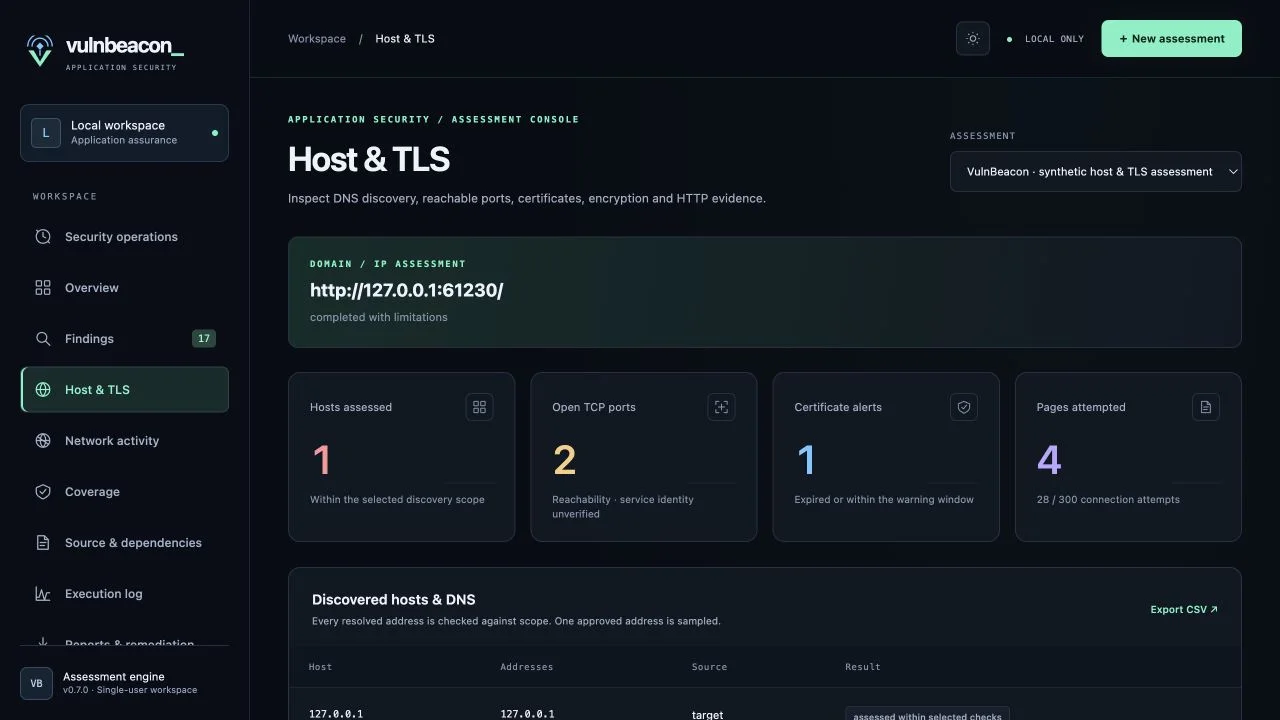
Explore recorded scanner activity on a flat map or globe. Follow requests, observed replies, and optional ping and route diagnostics, then replay a completed run.
Locations are approximate; drawn connections are illustrative. Unknown locations remain explicit.
Reduced motion is on. Use the timeline to explore.
10 located endpoints, including the Phoenix scanner; one private endpoint stays unlocated. Paths illustrate connections and trace-hop order, not packet volume or physical routes.
Example locations: Phoenix, San Francisco, Denver, Chicago, New York, London, Frankfurt, Singapore, Tokyo, and São Paulo. The simulation includes TCP, TLS, HTTPS, ping, and traceroute operations. The unknown location of a private endpoint is retained as a gap.
Assign owners, priorities, and due dates. Request a retest and link the result of a comparable check to the finding. Reproduced issues reopen; inconclusive results keep waiting.
Resolution needs a passing equivalent check or an analyst-attested manual retest with evidence. A missing alert alone cannot close a finding.
Explore reporting & remediation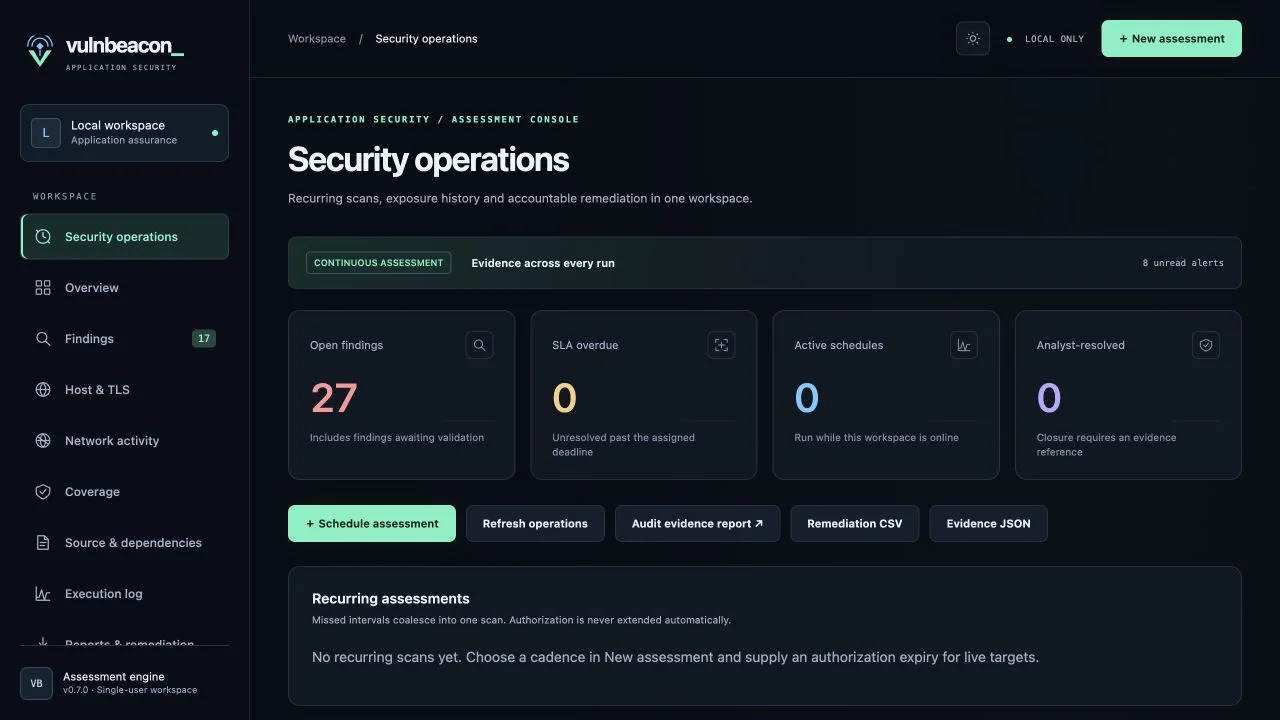
HOW IT WORKS
Save application context, review your coverage, and keep each assessment part traceable.
Start with saved targets, boundaries, and authorization.
Choose the assessment your team needs.
Provide source, declared API cases, or account references.
See what is ready, blocked, missing, or not selected.
Inspect evidence, assign remediation, and retest.
External exposure · Authenticated web & API · Code & supply chain · Functional & reliability · Comprehensive security · Combined comprehensive.
Multi-part goals keep separate runs and reports. Functional checks assess declared read-only cases.
EVIDENCE THAT TRAVELS
Share the scope, observation, evidence, and remediation procedure. Assign ownership, then link the result of a comparable retest.
Read the sample reportPublic illustration using synthetic data.
Explore reporting & remediationOwners and analysts can export. Viewers have read-only access. Share downloaded reports through your approved channels.
A missing alert does not prove a fix. Retests retain the check, asset, and outcome behind the decision.
DATA & CONTROLS
Understand how access, authorization, and optional data processing shape an assessment.
Customer membership controls access to separate workspaces, reports, and uploads.
Live runs recheck authorization, testing windows, and limits. Discovery does not expand approved scope.
Owners manage retention and source-upload deletion. Integrity manifests detect changed, missing, or added files.
AI assistance is off by default. Owner opt-in sends selected recorded, redacted evidence to Anthropic.
Authorized live checks contact the approved targets. Optional OSV lookups send package and version metadata; optional IP location enrichment uses supported public addresses. AI requests send selected recorded, redacted evidence and assessment context, excluding source files, archives, credentials, and raw response bodies.
Read the AI data controls or ask about your deployment requirements.
QUESTIONS & ANSWERS
Practical answers to the questions that shape an assessment.
Yes. An authorized Domain/IP assessment can inspect DNS, selected TCP ports, TLS certificates and protocol support, HTTP security headers, cookies, and bounded page discovery. Exposure checks also cover CORS, Host-header reflection, caching, exposed files, source maps, and dangling DNS indicators. Newly discovered hosts wait for review before target scanning.
Yes, through local collectors and report imports. Native Nmap runs on Mac or Linux. OpenVAS/Greenbone control requires a Linux host or VM with the scanner configured. Nessus reports and offline TShark flow metadata can also be imported. The cloud workspace does not automatically gain access to your private network.
Yes. Owners and analysts can download HTML reports with available evidence screenshots, or use Markdown, CSV, JSON, SARIF, and CycloneDX exports. Viewers can read reports but cannot export. Share downloaded files through your own approved email or collaboration tools. Browser printing can create a PDF; its accessibility needs separate review.
Not always. VulnBeacon distinguishes runtime observations, hardening recommendations, and unverified source or imported leads. Review the evidence and context before deciding how to act. Automated scanning complements specialist testing; it does not establish that an application is free of vulnerabilities.
Yes. Saved scanner telemetry can be replayed without repeating the target scan. Flat-map and globe views use recorded events; optional geographic enrichment places supported public addresses approximately. Unknown locations and missing route hops remain visible as gaps.
No. AI assistance is off by default and scanning works independently. After owner opt-in, draft requests send selected recorded, redacted evidence and assessment context to Anthropic (Claude). Source files, uploaded archives, credentials, and raw response bodies are excluded from the payload. Read the AI workflow and controls.
LET’S TALK ABOUT YOUR SCOPE
Request access by email. We’ll discuss your assessment needs and how VulnBeacon fits your team.
Already have access? Sign inInclude your team, the types of systems you manage, and whether you need public-facing, API, code, or local network assessments.
Keep credentials and sensitive assessment files out of your initial email.
Email for accessOpens your email app. If it is not configured, copy the address into your email service.
